Call
Make, receive, transfer, or record a call
Patients, current customers, therapists, staff, or referral partners are matched to the right record when possible.
Run daily practice operations from one connected layer: calling, texting, conference and video conversations, group chat, fax, voicemail, AI receptionist coverage, call routing, scheduling, lead qualification, tasks, tickets, and team knowledge.

YULY brings calling, texting, conference calls, video, group chat, fax, voicemail, patient intake, current customer communication, therapist assignment, staff follow-up, tickets, AI receptionist coverage, and knowledge into the same operating system as care and revenue.
Operations command center
Calls, texts, video, group chat, fax, voicemail, routing, and reception.
Patients, current customers, therapists, staff, or referral partners are matched to the right record when possible.
Two-way texting keeps patient questions, therapist updates, group chat, and team follow-up in the shared workflow.
Teams can coordinate with patients, therapists, staff, and partners without losing context.
AI transcribes voicemail, identifies the current customer when possible, summarizes history, and creates action items.
Calls can be routed, screened, recorded, scheduled, qualified, or covered after hours.
Referrals, signed plans of care, orders, and records are classified, matched, and routed.
Operations is where the practice communicates and absorbs demand: patients and current customers calling, texting, joining video conversations, leaving voicemail, physicians sending referrals, therapists needing clarity, billing teams needing follow-up, and leaders needing proof that nothing disappeared.
Make and receive calls, send and receive texts, run conference calls, video conversations, group chat, voicemail, and fax from one shared workflow with patient and customer context.
Transfer calls, record calls, review call history, screen callers, and block spam or marketing callers before they consume staff time.
Use answering-service capabilities for call routing, appointment scheduling, lead qualification, overflow reception during business hours, after-hours coverage, call screening, and order taking.
Guide new patients through intake while insurance, physician, referral, and scheduling details are checked before the first visit.
Turn patient requests, staff issues, billing questions, and internal follow-up into tracked work with ownership and escalation.
Keep protocols, documentation standards, payer rules, and internal policies searchable for therapists and operations teams.
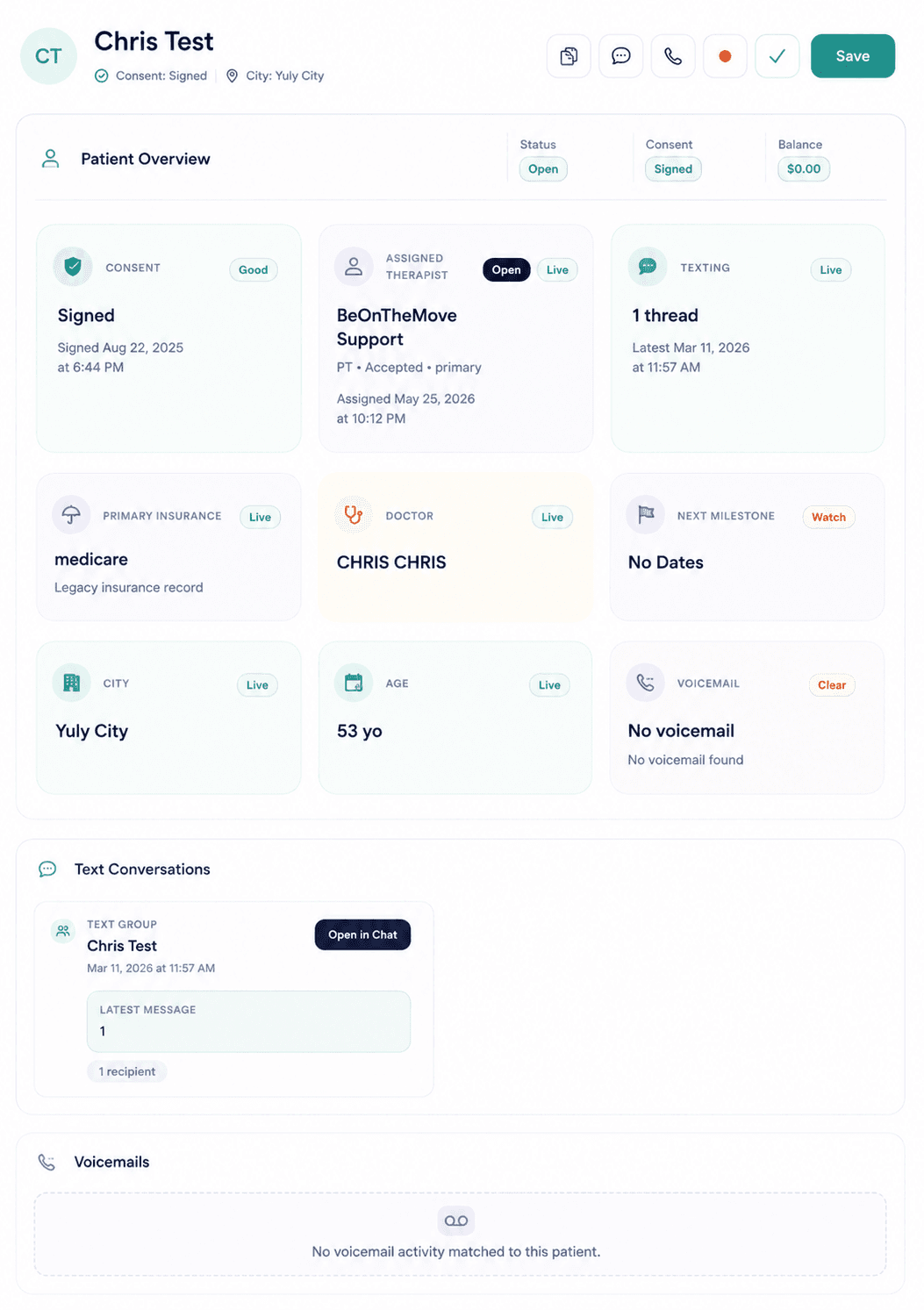
A referral fax can become an intake workflow. A patient or customer text can become a rescheduling task. A therapist message can become a routed follow-up. A voicemail can become a transcript, summary, and action-item list. An AI receptionist can route calls, qualify leads, schedule appointments, screen calls, take orders, and cover overflow before the team starts chasing details manually.
Operations work is only useful when the team can see where it came from, who owns it, what changed, and whether the loop closed.
Calls, texts, conference calls, video conversations, group chats, faxes, voicemails, referrals, and internal requests enter one operations layer.
YULY identifies the patient or current customer, historical context, caller type, intent, urgency, owner, and related chart or revenue context.
The work becomes call routing, appointment scheduling, lead qualification, intake, assignment, task, ticket, fax workflow, order taking, or knowledge answer.
Teams close the loop with call history, recording context, voicemail transcript, AI summary, action items, timestamps, and a clearer audit trail.
Talk with sales about how this product fits with the full YULY platform.